
Price Scraping: How to Collect Prices from a Website into a Spreadsheet
Easy Scraper AI7 min read
Short answer
Price scraping means collecting the prices a website shows, automatically, so they can be compared or tracked. Without code, open the product list in Chrome, let a scraper such as Easy Scraper AI detect the products, keep the name, price and link columns, run every page and export a CSV. Repeat later and compare the two files.
On this page
Shops, marketplaces and suppliers publish their prices on pages meant for people to read. Price scraping turns those pages into rows — product, price, link — that a spreadsheet can sort, filter and compare.
This guide collects a price list from Books to Scrape, a practice site whose prices are made up for the purpose, and then shows how to compare two snapshots to see what changed.
What you need
- Google Chrome on a computer (version 114 or later)
- The Easy Scraper AI extension
- The product list or category page open in a tab
- A spreadsheet: Excel or Google Sheets
Steps
Step 1: Open the product list and the side panel
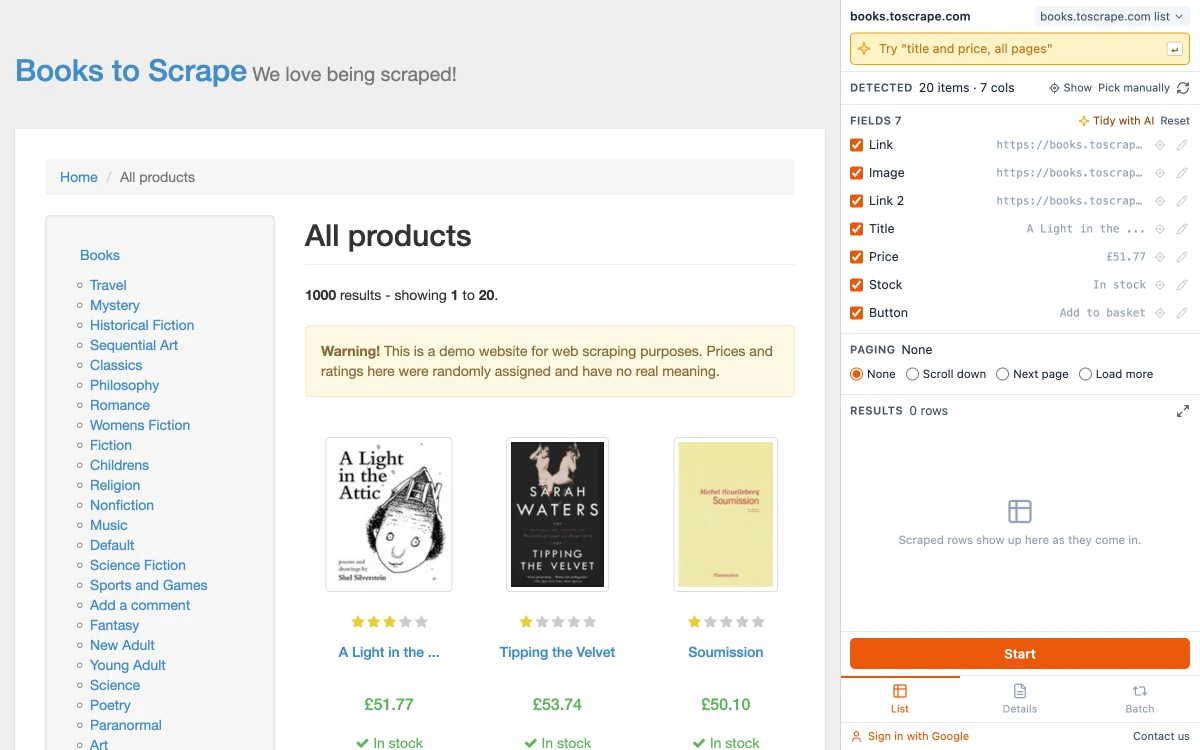
Go to the category or search page that lists the products and click the Easy Scraper AI icon. The products are detected as a list, one field per piece of information.
Step 2: Keep the name, the price and the link
Untick what you won't use, but keep the link column. Names change and get shortened; the link is the stable way to recognise the same product next time.
Step 3: Set Paging and press Start
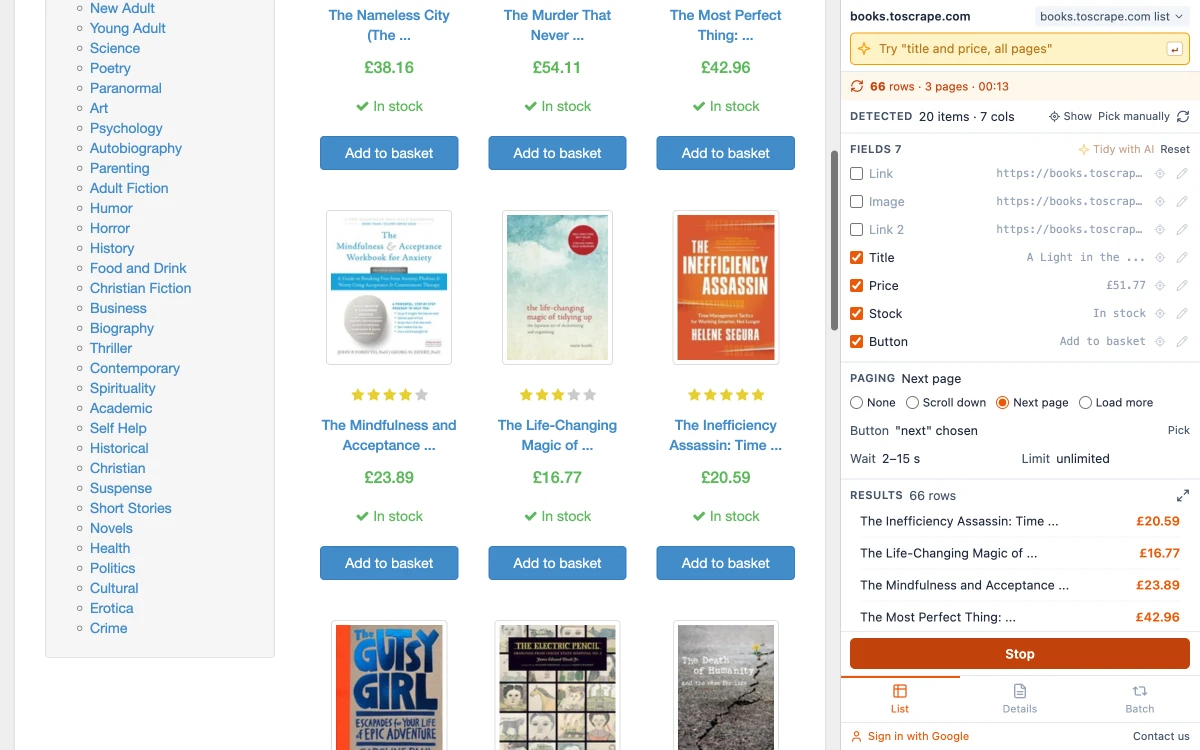
Choose the Paging option that matches the site so that every page of the category is collected, then press Start. The counter shows rows and pages as it goes.
Step 4: Export and note the date
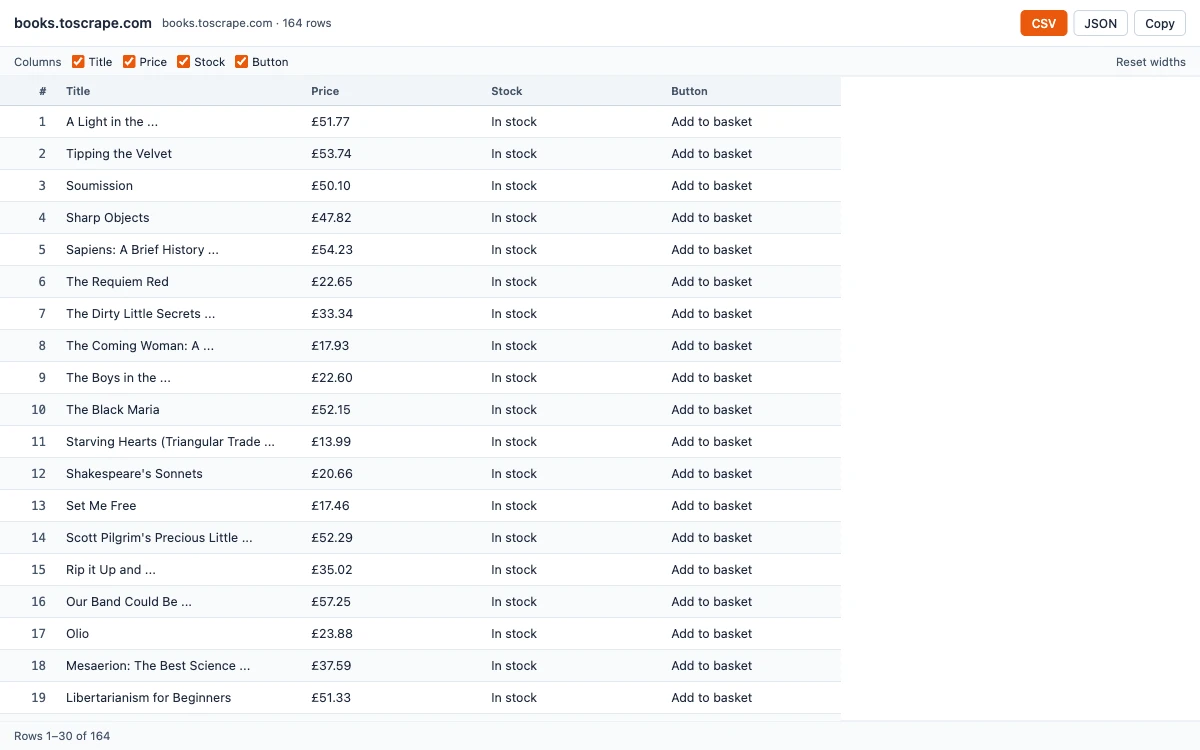
Click "Open results window", then CSV. The file name contains the site and the date, so two exports from different days do not overwrite each other.
Step 5: Run it again later and compare
Open the same page another day and press Start again; the columns and paging choice are remembered for the site. You now have two files to compare, which the next section walks through.
What price scraping means
It is ordinary web scraping aimed at one kind of value. Retailers use it to see how competitors price the same products, buyers to watch for a drop, analysts to follow a market. The technique is the same in every case: read the list, keep the product and the price, repeat over time.
What differs is scale. Following fifty products on one site every week is a spreadsheet job. Following a hundred thousand across many shops every hour is an engineering project with servers and proxies, and a browser extension is the wrong tool for it. Easy Scraper AI runs when you run it; it does not work on a schedule or with the browser closed.
Comparing two snapshots
Put the newer export on a sheet called New and the older one on a sheet called Old, each with the link in column A and the price in column B. First make the prices numeric in column C of both sheets:
=VALUE(SUBSTITUTE(B2,"£",""))| Row | A: link | B: price | C: price as a number |
|---|---|---|---|
| 2 | …/catalogue/a-light-in-the-attic_1000/index.html | £51.77 | 51.77 |
| 3 | …/catalogue/tipping-the-velvet_999/index.html | £53.74 | 53.74 |
| 4 | …/catalogue/soumission_998/index.html | £50.10 | 50.1 |
| 5 | …/catalogue/sharp-objects_997/index.html | £47.82 | 47.82 |
Then, on the New sheet, look up each product's old price by its link and subtract:
=XLOOKUP(A2,Old!A:A,Old!C:C,"new product")=IF(ISNUMBER(D2),C2-D2,"")Filter column E for values that are not zero to see what moved, and column D for "new product" to see what was added. In older versions of Excel, VLOOKUP does the same job as XLOOKUP.
When the price is only on the product page
Some lists show "from" prices or none at all. In that case collect the product links first and then read the price from each product page; the guide on how to scrape a list of URLs shows the two passes.
Is price scraping allowed?
Prices shown to the public are facts, and facts as such are not protected by copyright. That does not settle the matter: a site's terms of use may forbid automated collection, some regions protect databases, and loading a site heavily can cause real harm. Read the terms of the site you are interested in, keep the pace gentle and do not collect personal data along the way. The longer answer is in whether web scraping is legal.
Good practice
- Collect only the categories you need, not the whole catalog.
- Run at quiet times and no more often than the prices change.
- Keep every export with its date; a price history is worth more than a single snapshot.
- Check a few rows against the site by hand after each run. Layouts change, and a changed layout can shift columns.
Common questions
Collecting the prices shown on a website automatically, usually together with the product name and link, so they can be compared or tracked over time.
Related guides
How to Scrape Multiple Pages Without Code
Follow Next page buttons, Load more buttons and infinite scroll automatically, and collect every item into one table.
Read guideHow to Scrape a List of URLs
Pick the fields once on one detail page, then run a whole list of URLs and collect them all into one table.
Read guideWeb Scraping with Google Sheets: 3 Ways to Get Website Data into a Sheet
IMPORTHTML, IMPORTXML or a browser scraper: what each can read, where each stops, and formulas you can copy.
Read guide