
Instant Data Scraper Alternatives
Easy Scraper AI6 min read
Short answer
Instant Data Scraper is a free Chrome extension that detects a table or list and exports it to Excel or CSV. Alternatives worth a look are Easy Scraper AI for detail pages and URL lists, Web Scraper for crawls you design yourself, Data Miner for shared recipes, Thunderbit for AI-described fields, and Octoparse for scheduled cloud runs.
Why people look for an alternative
Instant Data Scraper does one thing well: it finds a list on the page and exports it. Its Chrome Web Store listing describes automatic detection, pagination, infinite scrolling and export to Excel or CSV, all for free.
People usually start looking elsewhere when they need something that listing doesn't mention:
- Fields from each item's own page, not just from the list
- Running the same extraction over a list of URLs
- Keeping a setup for a site and reusing it later
- JSON output
- Runs that happen on a schedule, without the browser open
The alternatives at a glance
Facts below come from each product's own store listing or pricing page, checked on October 5, 2026. Prices and limits change; check the linked sources before you decide.
| Tool | What it is | Price | Detail pages | List of URLs | Export |
|---|---|---|---|---|---|
| Instant Data Scraper | Chrome extension | Free | Not listed | Not listed | Excel, CSV |
| Easy Scraper AI | Chrome extension | Free | Yes, click fields to build a template | Yes, from a CSV or a scraped column | CSV, JSON, copy |
| Web Scraper | Chrome extension plus paid cloud | Extension free for local use | Yes | Through the crawl you set up | CSV, XLSX |
| Data Miner | Chrome extension | Free up to 500 pages a month; paid from $19.99 a month | Crawls on paid plans | Crawls on paid plans | Download; Google Sheets on paid plans |
| Thunderbit | Chrome extension, AI-based | Free for 6 pages a month; paid from $9 a month, billed yearly | Subpage scraping on paid plans | Bulk scraping; 3 URLs on free | Data export |
| Octoparse | Desktop app with paid cloud | Free plan with 10 tasks; paid from $69 a month | Yes | Yes | Up to 10,000 rows per export on free |
Who each one suits
Instant Data Scraper
Still the simplest choice when all you need is the list in front of you as a spreadsheet, and you don't mind setting it up again next time.
Easy Scraper AI
Ours. A good fit when you want the same instant detection but also need detail pages, a list of URLs, JSON, or to pick up a run where it stopped. Everything runs in your browser and it is free. It doesn't run on a schedule and it doesn't work with the browser closed. More on the Easy Scraper AI home page.
Web Scraper
A good fit when you are willing to design the crawl yourself — which links to follow, which elements to take — and may later move it to a paid cloud that runs without your browser.
Data Miner
A good fit when someone has already published a recipe for the site you need, or when you want to write custom extraction rules. Mind the monthly page limit on the free plan.
Thunderbit
A good fit when you would rather describe the fields in words and let an AI model work out the rest, and are comfortable paying per page once the small free allowance runs out.
Octoparse
A good fit for regular, larger jobs: scheduled runs, cloud execution and IP rotation are on its paid plans. It is a desktop program, not a browser extension, and takes longer to learn.
Moving from Instant Data Scraper to Easy Scraper AI
- Open the page you used to scrape and click the Easy Scraper AI icon. The list is detected the same way, with no setup.
- Where you used to locate the next button, choose an option under Paging instead: Next page, Load more or Scroll down. Our guide on how to scrape multiple pages covers each one.
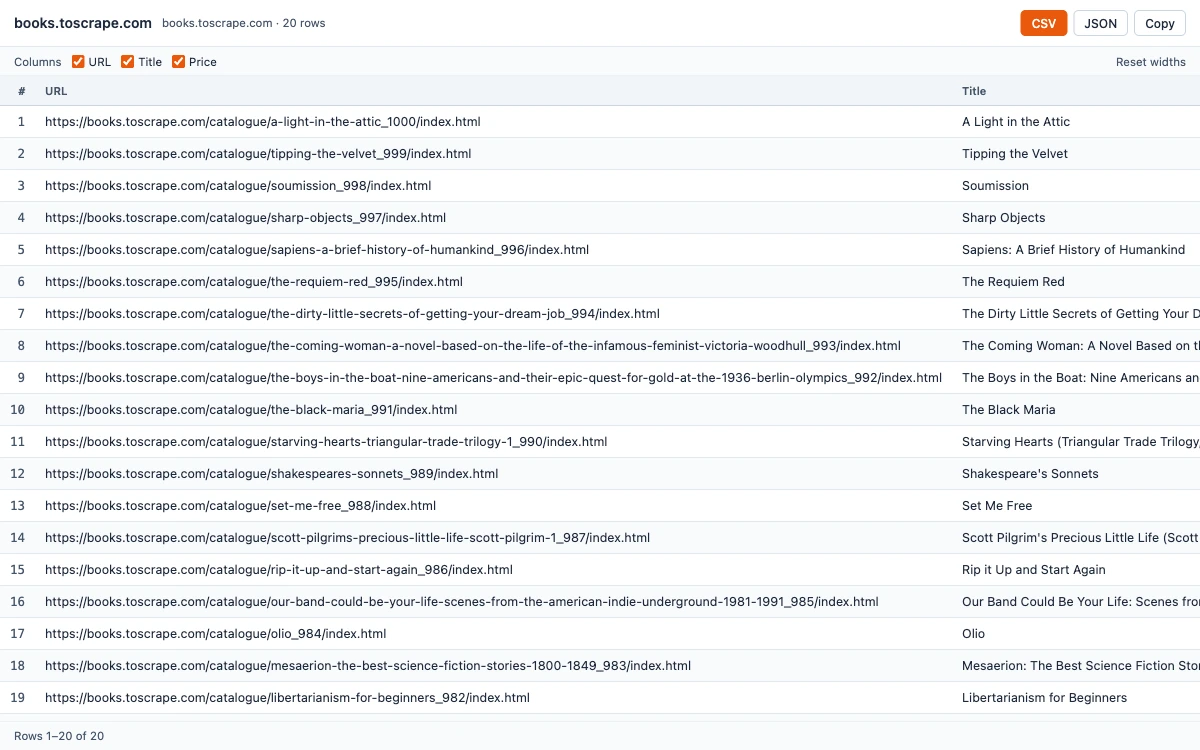
- Press Start. When it finishes, open the results window for CSV, JSON or Copy.
- Your columns and paging choice are remembered for that site, so the next run is one click.
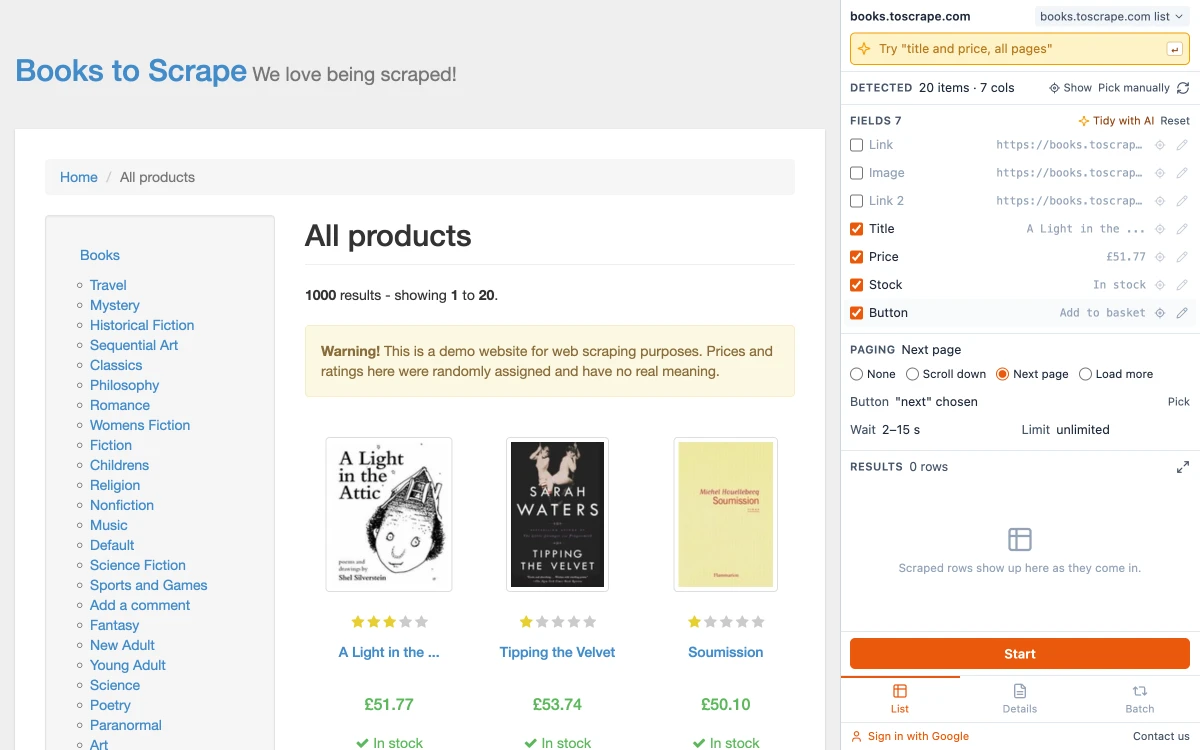
The two things Instant Data Scraper does not do are a second pass over detail pages and running a list of URLs. In Easy Scraper AI you pick the fields once on one detail page, then run the whole list; the guide on how to scrape a list of URLs goes through it step by step.
Sources
- Instant Data Scraper — Chrome Web Store listing
- Web Scraper — extension page
- Data Miner — pricing page
- Thunderbit — pricing page
- Octoparse — pricing page
Still deciding? Our roundup of the best web scraper Chrome extensions looks at the same tools from the other direction, and the frequently asked questions cover safety, legality and common problems.
Common questions
Yes. Its Chrome Web Store listing describes it as completely free.